In this post, I explain how I approach finding as much information about the domain as possible. The post doesn't explain the
enumeration part for finding related domains (as I explained
here), but rather finding domain-specific data such as owner, reputation, or DNS settings. The post is aimed towards
everybody working on threat intel, malware analysis, bug bounty, journalism, and many similar areas.
Note: This is the first version (July '18) of this OSINT Primer. I will be progressively updating it with new tools and techniques.
Before I dig into specific techniques/tools, I want to talk about my mindset briefly. Usually, I have one of these goals in mind:
- The domain is primary domain of my target, I want to get as much information as I can. Note that in this case I usually go with gather-everything-use-something.
- The domain is likely malicious, I want to confirm my hypothesis and see what it is about.
- The domain seems like a potential attack vector to gather initial foothold. Specifically, it is hosting some services which can be exploited. I want to see details about these services.
Remember that you should always have a clear goal in mind. This prevents you from doing unnecessary stuff.
Note that there is a slight overlap with domains and services present on domains. In some cases, I will explain techniques which affect services as well.
WHOIS
The very first technique that should be in your arsenal is WHOIS lookup. WHOIS is used for querying databases that store the registered users of domain names, IP blocks, or ASN. You can use the CLI tool:
$ whois DOMAIN
WHOIS data provide information about an entity that registered the domain. Remember that some domains might have WHOIS information hidden, and some might provide false data.
WHOIS data provide a clue whether the domain is tied to some specific organization or not. Although this is more useful in enumeration step, WHOIS data can provide help in some specific situations - for instance, if you encounter domain which tries to mimic some specific organization and WHOIS records are not tied to that organizations, this is a huge red flag.
Domain Profiling
Sometimes, you want to get an overall picture of domain information or decisions that domain administrator made.
One of my go-to tools is
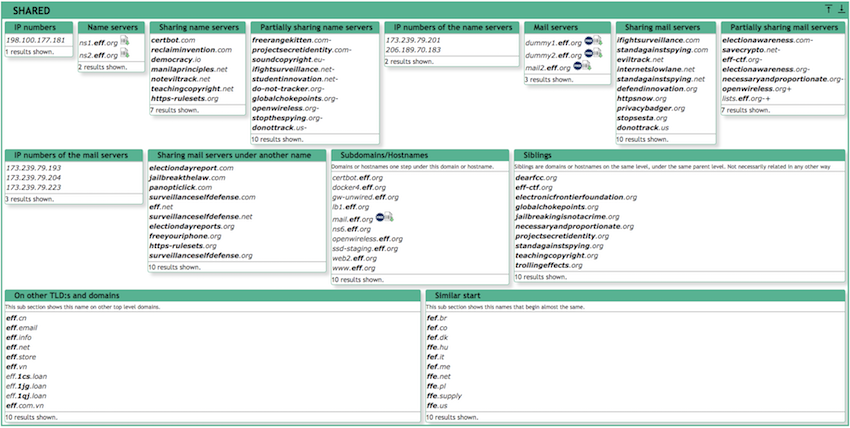
Robtex's DNS lookup. It provides a massive amount of information about the domain. I especially like the
Shared sections which provide you with an overview about other related domains (yes, this is related to the enumeration phase, forgive me for once :-))
Robtex provides much more information (e.g., SEO details, reputation, ...), however usually in a limited scope. I try to use another source for specific details. Robtex provides me with a high-level perspective. I highly recommend creating (free) account there so you can leverage more advanced functionality.
Next, I like to use
domain_analyzer to provide me with in-depth technical information about domain settings. This tool is a literal beast. It can even crawl the websites to discover e-mails and much more. I like to use it in a more limited way like so:
python domain_analyzer.py -d DOMAIN -w -j -n -a
It is hard to tell directly what data can be useful from this output. However, it helped me multiple times in the past. I like to store the output and get back to it during the analysis multiple times.
Passive data
It is useful to check what was the domain serving in the past. There are two types of passive domain data:
- Passive DNS - What were the values of DNS records in the past
- Passive "content" - What was a web server on this particular domain hosting in the past
For Passive DNS, I like to use
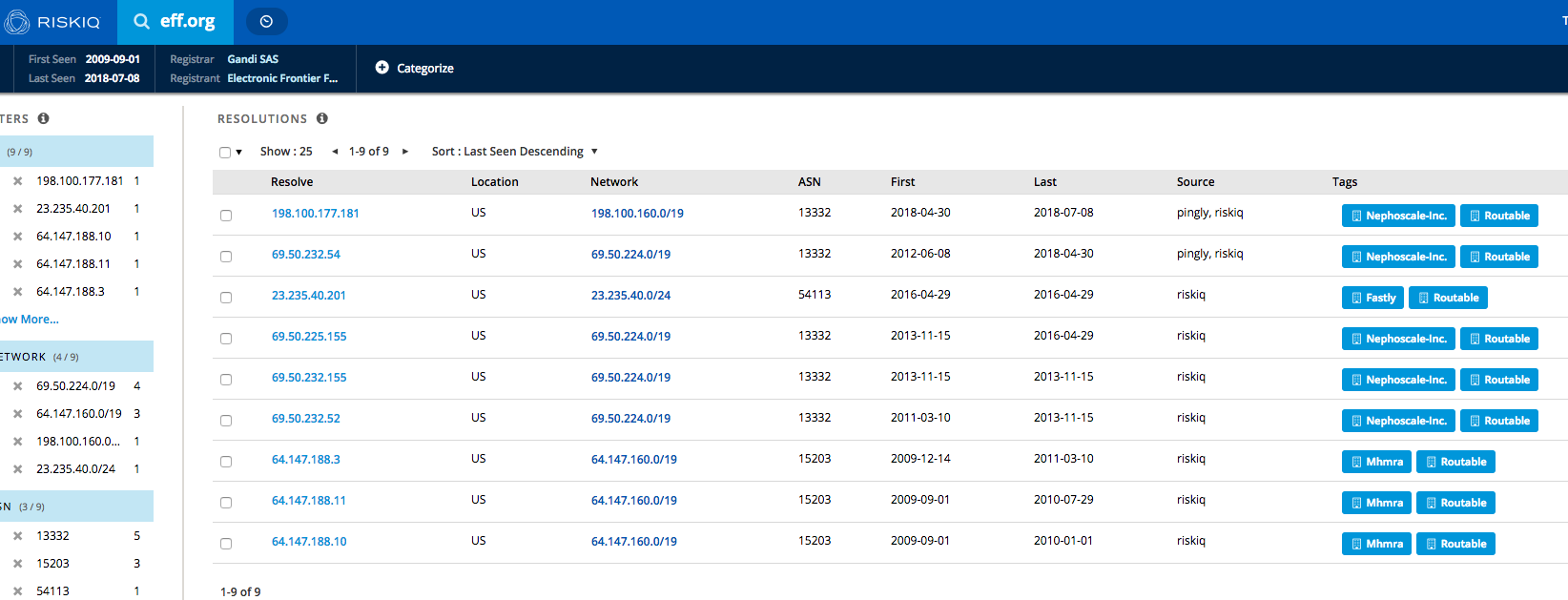
RiskIQ Community Edition. The interface is super simple, and search results will show you the passive data immediately:
Although RiskIQ CE is meant to be an overall analysis platform for domains, I exclusively use it to get passive DNS data. As in many other areas of this post, it is up to you to decide, whether you stick with one source or use multiple sources for different data. I like to use the latter approach since each provider is usually reliable in just one area.
Next to RiskIQ CE, I like to use
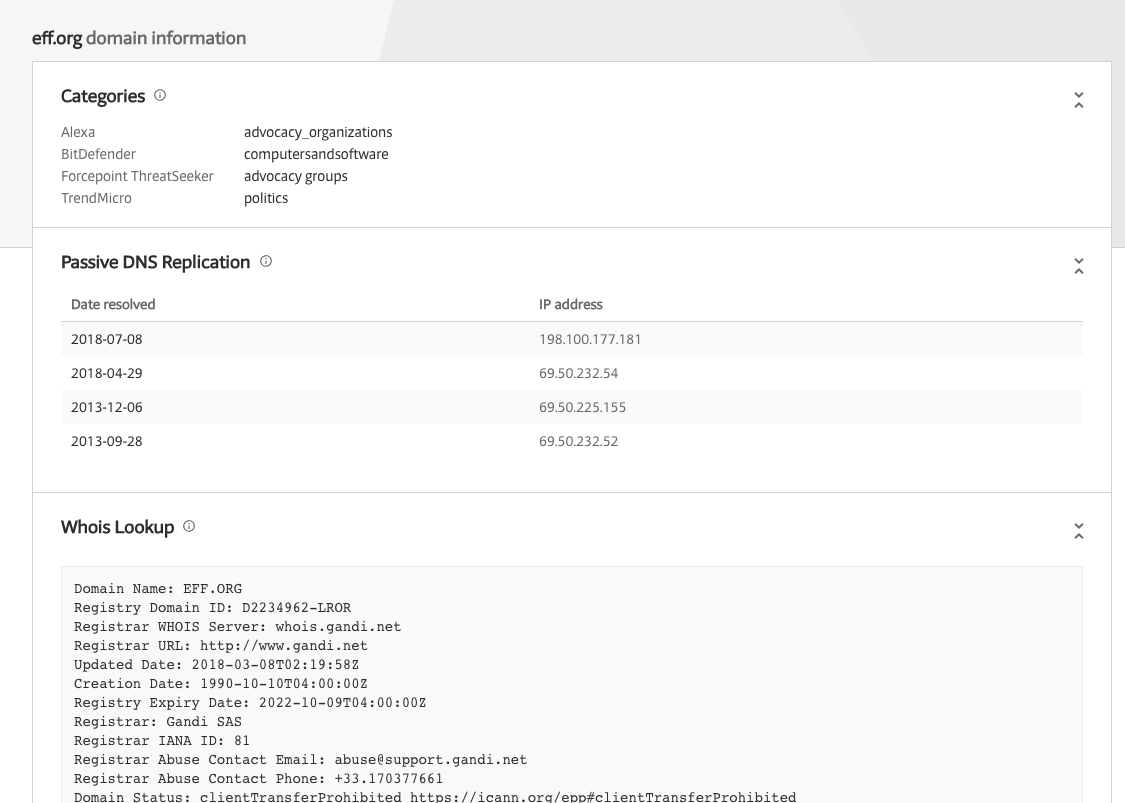
VirusTotal as well:
Again, you will get more data than just passive DNS. From my own experience, RiskIQ tends to provide more data for passive DNS.
Lastly, I will mention
passive DNS from CIRCL.LU which I am lucky to have access to. I sometimes use it to cross-correlate the above two sources. Note that CIRCL.LU passive DNS is not open to the public.
More Passive DNS sources:
My go-to tool for passive content is
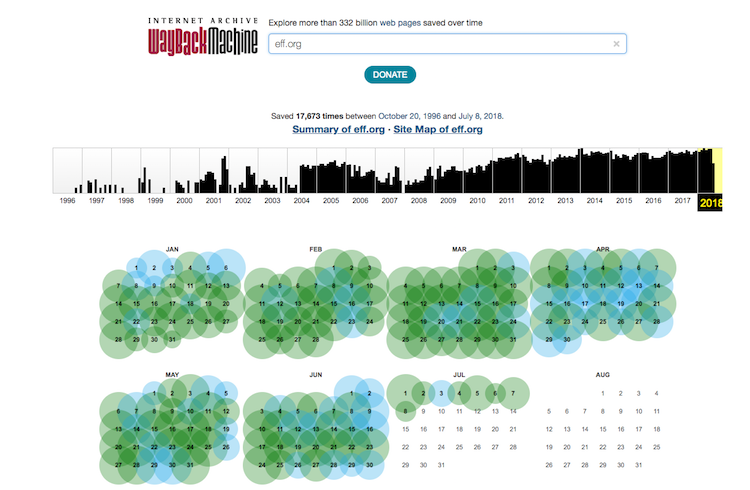
Wayback Machine. It includes snapshots of most websites from the past. There are usually multiple snapshots, so you can even choose the date of the snapshot you want to see:
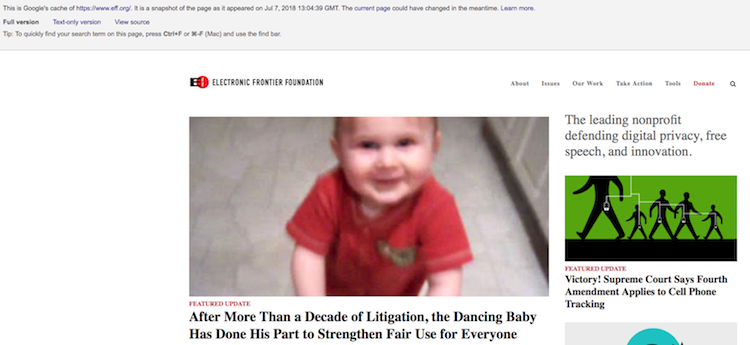
The frequency of snapshots depends on website popularity. Next, I like to use simple Google Dork to retrieve the last content of some URL from Google database like so:
cache:https://eff.org/
Content Analysis
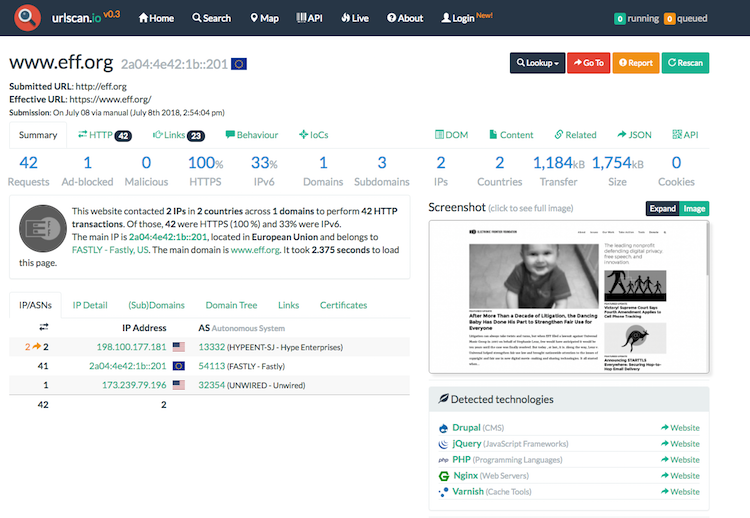
You might want to check what is the web server on the domain currently serving. When dealing with potential malware site, it is necessary to follow basic OPSEC guidelines. You should NEVER directly visit such site without at least some protection regarding VPN or even a virtual machine. I like to use the service called
urlscan.iowhich makes HTTP request on your behalf, provide you with a screenshot and some other information that can be used for your analysis.
Sometimes, you want to detect the visual changes on some websites. This is useful when the domain is currently parked and might be changed to something different in the future. For this purpose, I like to use
visualping.io. This service will automatically notify you once the content on some domain change. An open-source alternative to this is called
urlwatch.
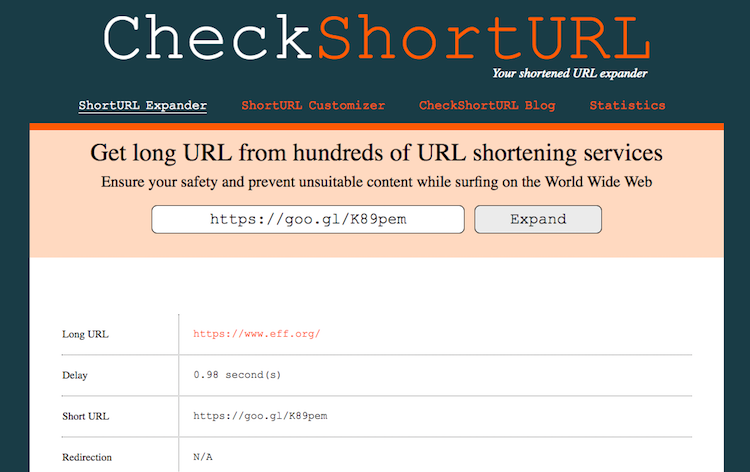
From the content perspective, short URLs are often used to mask the malware/phishing domain in delivery to the victim. The tool called
checkshorturl.comis used to expand the short URL to its original form automatically.
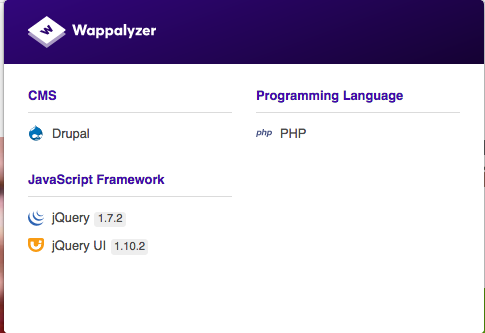
Related to content, I usually want to check what is the technology stack on some website. I use
Wappalyzer as a browser plugin. Wappalyzer automatically recognizes technologies on each website you browse to:
Results from Wappalyzer enable me to then fire some vulnerability scanning tools such as
droopescan in this case. If you want rather use a CLI based tool, I recommend
stacks-cli.
Traffic Analytics
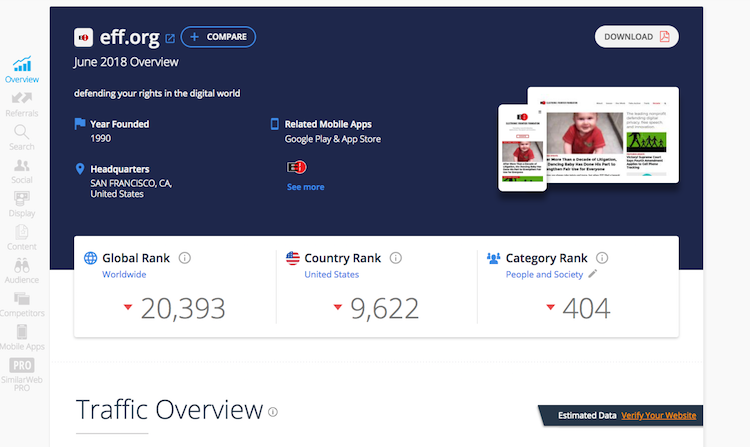
After content analysis, I want to check how to website (on the domain) is popular on the Web. I use several SEO analytics tools for this:
Reputation
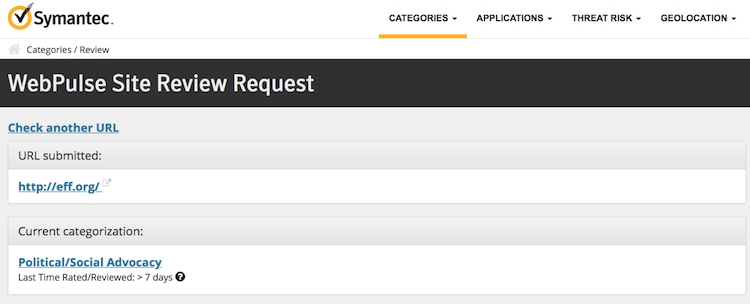
During incident response or malware analysis, it is often necessary to check the reputation of some domain. The reputation might give you a clue whether the domain is known to be associated with some malicious activity. There are numerous (free) services for providing this information. You should always check multiple sources as the strategies for categorizing domains differ from vendor to vendor. Reputation often goes hand-in-hand with categorization. Domain categorization is determined by the content the (web) server is hosting. The categories can be then used for many purposes such as web traffic filtering using proxies. Reputation is then determined based on the category - low trusting domains will have category ads, suspicious, malicious and so on.
Reputation tools that I use the most:
There are also domain
blacklist which are a list of domains that are explicitly categorized as malicious. Tools such as
CyMon also look inside these blacklists. Example of this blacklist is
Spamhause Domain Blacklist.
OSINT Automation
As you might see, there are many sources to domain-related data. Manually querying each of these sources can be exhausting at times of extensive analysis when you need to gather information about tens or hundreds of domains. Although to my knowledge, there is currently no tool that can query every one of the tools mentioned in this post, my primary OSINT tool at the moment is
harpoon. It is a super useful tool which can save you a massive amount of time during your analysis. I recommend reading the documentation carefully and checking which sources are available. Example output from
harpoon (looking for website snapshots):
p@eternity:~$ harpoon cache https://eff.org
Google: FOUND https://webcache.googleusercontent.com/search?num=1&q=cache%3Ahttps%3A%2F%2Feff.org&strip=0&vwsrc=1 (2018-07-07 13:04:39+00:00)
Yandex: NOT FOUND
Archive.is: FOUND
-2012-12-20 17:36:48+00:00: http://archive.is/20121220173648/https://eff.org/
-2013-09-30 21:30:38+00:00: http://archive.is/20130930213038/http://eff.org/
-2014-01-27 14:55:32+00:00: http://archive.is/20140127145532/https://eff.org/
-2014-03-18 07:18:52+00:00: http://archive.is/20140318071852/http://eff.org/
-2014-03-29 01:59:16+00:00: http://archive.is/20140329015916/http://eff.org/
-2014-10-12 13:29:16+00:00: http://archive.is/20141012132916/http://eff.org/
-2014-11-18 05:30:31+00:00: http://archive.is/20141118053031/http://eff.org/
-2014-11-26 00:27:10+00:00: http://archive.is/20141126002710/http://eff.org/
-2015-01-06 05:16:11+00:00: http://archive.is/20150106051611/http://eff.org/
-2015-02-25 23:13:18+00:00: http://archive.is/20150225231318/http://eff.org/
-2015-04-03 12:32:17+00:00: http://archive.is/20150403123217/http://eff.org/
-2015-06-03 17:17:27+00:00: http://archive.is/20150603171727/http://eff.org/
-2017-01-16 17:29:46+00:00: http://archive.is/20170116172946/https://eff.org/
-2017-02-20 20:15:58+00:00: http://archive.is/20170220201558/https://eff.org/
-2017-12-13 05:06:22+00:00: http://archive.is/20171213050622/http://eff.org/
-2017-12-17 21:18:37+00:00: http://archive.is/20171217211837/http://eff.org/
Archive.org: NOT FOUND
Bing: FOUND http://cc.bingj.com/cache.aspx?d=4505675932894641&w=enxY6wdkqMMA8cCOvykvjwxhAM6cEKCx (2018-06-07 00:00:00)
Alternatives (less sources and weak quality):
..or you might use a swiss-army knife for all areas of OSINT -
datasploit.
For more tools dealing with domain OSINT, you should also check-out
OSINT Framework.
Parts in this series:
Until next time!



Comentários
Postar um comentário